Highlight Pro
Last updated: January 27, 2026

Highlight Pro is our premium plan designed to help you find your focus every day with access to the best AI models, real-time meeting transcriptions, and advanced productivity features.
Price: $20/month
What's Included
Highlight Pro includes everything you need to maximize your productivity and stay ahead of what matters most.
Premium AI Models
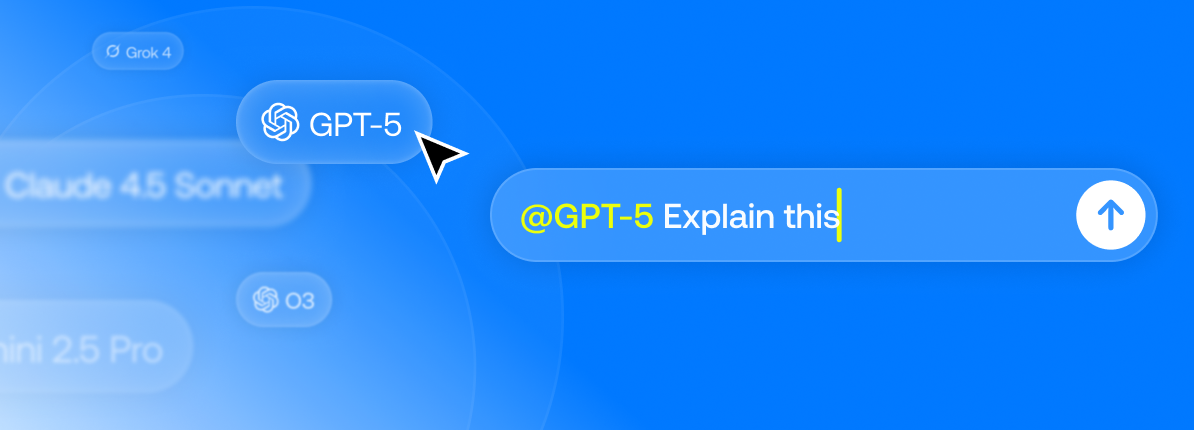
Access to the latest flagship AI models without separate subscriptions:
Claude 4.5 Sonnet - Best for complex reasoning and analysis
GPT-5.1 - Fast and versatile responses
Gemini 3 Pro - Excellent for large documents and multimodal tasks
Grok 4, Deepseek R1 and many more
Choose the right model for any task by @mentioning the model you want.
Bring Your Own Key (BYOK)
Use your own API keys from OpenAI, Anthropic, or Google:
Won't count towards your Highlight credits
Pay for provider API costs directly & maintain data confidentiality.
Keep your Pro subscription benefits
Add custom models with your preferred providers
Using your own API keys may cost more than your Highlight Pro subscription depending on usage.
Enhanced meetings
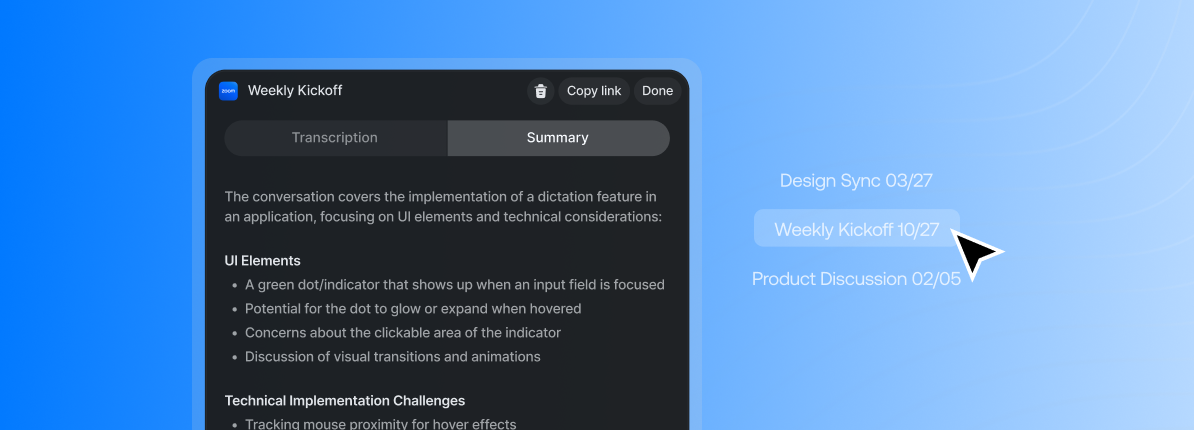
Real-time transcription with industry-leading AI models
Automatic meeting summaries after every conversation
Both local and cloud transcription options
Your included Highlight credits give you access to up to 25 hours per month of cloud transcription
Highlights
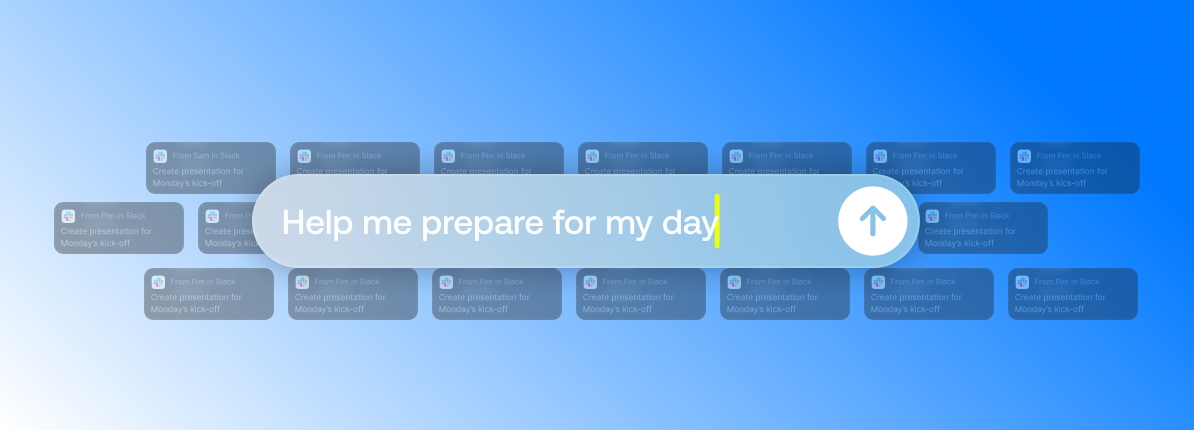
Highlights automatically extract the most important decisions, action items, and key moments from everything you do throughout your day. Instead of manually tracking what matters, Highlight surfaces critical information from your meetings, conversations, and work so you can stay focused on what's next.
Credits & Usage
Your subscription includes 2,000 credits per month for premium usage
Credits cover both chat and meeting transcriptions
Estimated usage: ~200 premium AI messages OR ~25 hours of meetings, or any combination
Actual usage may vary based on conversation and meeting length
Highlights and Meeting Summaries do not count towards your credit usage.
Top-Up Credits
Need more credits? You can purchase additional credits at any time:
$20 for 2,000 credits
Charged at the same rate as Pro plan credits
Purchase instantly when you need them
Optional auto-top-up with spending limits
Comparing Free vs Pro
Feature Free Pro | ||
Price | $0 | $20/month |
Credits | 0 | 2,000/month |
Meetings | Local transcription only | 25 hours of real-time cloud transcription |
AI Models | Auto-selected | Premium models with manual selection |
Meeting Summaries | ❌ | ✅ |
Highlights | ❌ | ✅ |
Weekly Summaries | ❌ | ✅ |
Bring Your Own Key | ❌ | ✅ |
Daily Briefs | ✅ | ✅ |
Daily Summaries | ✅ | ✅ |
Integrations | ✅ | ✅ |
FAQ
Why does Highlight have a Pro tier?
We want to build the best product experience for everyone, and the best models on the market unfortunately also cost a lot. Pro helps us cover costs while providing a more comprehensive AI assistant than alternatives—so we can keep building for you.Do you offer a free trial of Pro?
Yes! All Highlight users get a free 30-day Pro trial plus 2,000 credits. No credit card required—visit our pricing page to start.What’s included in the Free plan?
Local meeting transcriptions, chats with auto-selected models, all integrations, and daily summaries.When should I upgrade to Pro?
If you want to choose premium models yourself or use cloud meeting transcriptions, you can upgrade anytime.What are credits and how do they work?
Credits measure usage. 2,000 credits is roughly ~200 premium chat messages or ~25 hours of meeting transcription (or any mix).Where can I see my credit usage?
In your account settings under the usage/billing section.Will you warn me before I run out of credits?
Yes—we’ll notify you when you hit 80% of your monthly limit and again when you’re close to running out.What happens if I hit my credit limit?
You can either top up ($20 for 2,000 credits) or wait for your monthly credits to refresh. We’ll notify you before you run out.Can Pro users buy extra credits?
Yes—Pro users can add credits anytime for $20 per 2,000 credits from the Pricing page.Do monthly credits roll over?
Monthly credits reset at the start of each billing cycle and don’t roll over. Top-up credits do carry over until used.Can I bring my own API keys with Pro?
Yes. If you use your own keys for supported models, that usage won’t count against Highlight credits—you’ll only pay for the Pro subscription. You’ll pay the provider’s API costs directly.Can I mix my own keys with Highlight’s included premium models?
Absolutely. You can use your own keys for some models and still use Highlight’s premium models with your monthly credits.What’s the difference between cloud vs local transcription?
Cloud transcription (Pro) offers real-time processing, higher accuracy, named-speaker diarization, and automatic meeting summaries. Local transcription (Free) runs on-device but has more limited quality and features.What are “Early Supporter” plans?
If you bought a plan before November 26th, 2025, you’ll keep your existing plan for 24 months at the same original price as a thank-you.What happened to student plans?
Student plans were migrated into the Free tier (local meetings + auto-selected chat models). If you need Pro features, you can upgrade to Pro for $20/month.How do I cancel my plan?
Go to your account settings and select “Manage Plan.” You’ll keep access until the end of your billing period.How do refunds work?
Email support@highlightai.com and we’ll help issue a refund.
Upgrade to Pro
New to Highlight? We offer a 30-day free trial of Highlight Pro:
Full access to all Pro features
2,000 credits to experience premium models
No credit card required upfront
Cancel anytime during the trial
Get 30 days of Highlight Pro free - no credit card required
Need Help?
Have questions about Highlight Pro? Reach out to our team in Discord