Uninstall Highlight
Last updated: September 4, 2026
Before you break our hearts, we would love for you to share feedback on Discord, by chatting with support from the app, or emailing our team.
Windows
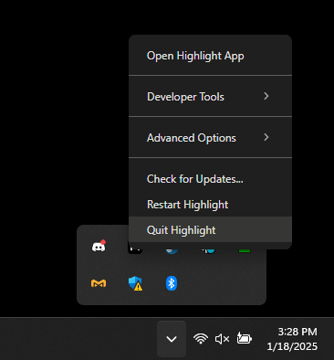
On Windows, it is very important that you first Quit the app from the system tray before uninstalling it. Our uninstaller attempts to do this, but Windows sometimes fails to work as expected.
Search Add or Remove Programs from the start menu
Find Highlight and Uninstall it
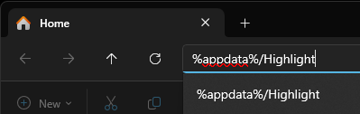
To remove all data remaining on your computer, you can go to this folder in File Explorer and delete it: %appdata%/Highlight
Still having issues?
Open Task Manager
End every Highlight process
Reinstall Highlight
Do the steps above
MacOS
On MacOS, simply move it from the Applications folder to the trash can.
If you want to completely remove all remaining data, you can run this terminal command to delete the entire Application Support folder for Highlight:
rm -rf ~/Library/Application\\ Support/Highlight